Bring every process to the text thread your frontline already answers.
Overtime sign-ups on a clipboard. Policy sign-offs buried in a drawer. Pulse surveys sitting unopened in an inbox the floor never checks. The questions were never the problem; the workflow process was always stitched together from inboxes, spreadsheets, and binders that don't know your roster and can't reach the floor.
Digital forms become Workflows with TeamSense. Build custom form templates in minutes, send by text, and route every response to the right person. Paperless forms that finish the job instead of landing on someone's desk.

Text reaches the floor. Responses follow
A form collects an answer. Workflows do something with it. Notifies the supervisor, files it against the employee, and closes the loop without anyone re-keying a thing.
8% to 80%
American Axle's employee satisfaction survey response rate, after moving it from paper to TeamSense.
A week to a few hours
A union shift-preference survey that used to take one person a full week with a clipboard.
Every response, on the record
Answers land structured, dated, and attached to the right employee.
You already use these forms. Digital or paper, they still don't reach the floor.
The form never reaches the people who need to fill it.
It goes out over company email frontline teams don't have or a portal they don't check. So you print copies, walk the floor with a clipboard, and still get a fraction back.
The answers scatter.
Part in a Google Form, part in a supervisor's texts, part on paper in a binder in an office somewhere. Pulling it together into something you can report on is its own job.
Impossible to track down respondents.
When compliance asks who acknowledged the new policy, or an auditor wants every completed pre-shift checklist from last quarter, the answer is a stack of printouts and a best guess.
Prior to TeamSense, our employee engagement surveys would have been very pen and paper. Now we can send out a survey, export the results, and we're done. The time management difference is huge for our department.
 HR Leader
Martinrea
HR Leader
Martinrea
3 ways to build, neither takes 2 weeks
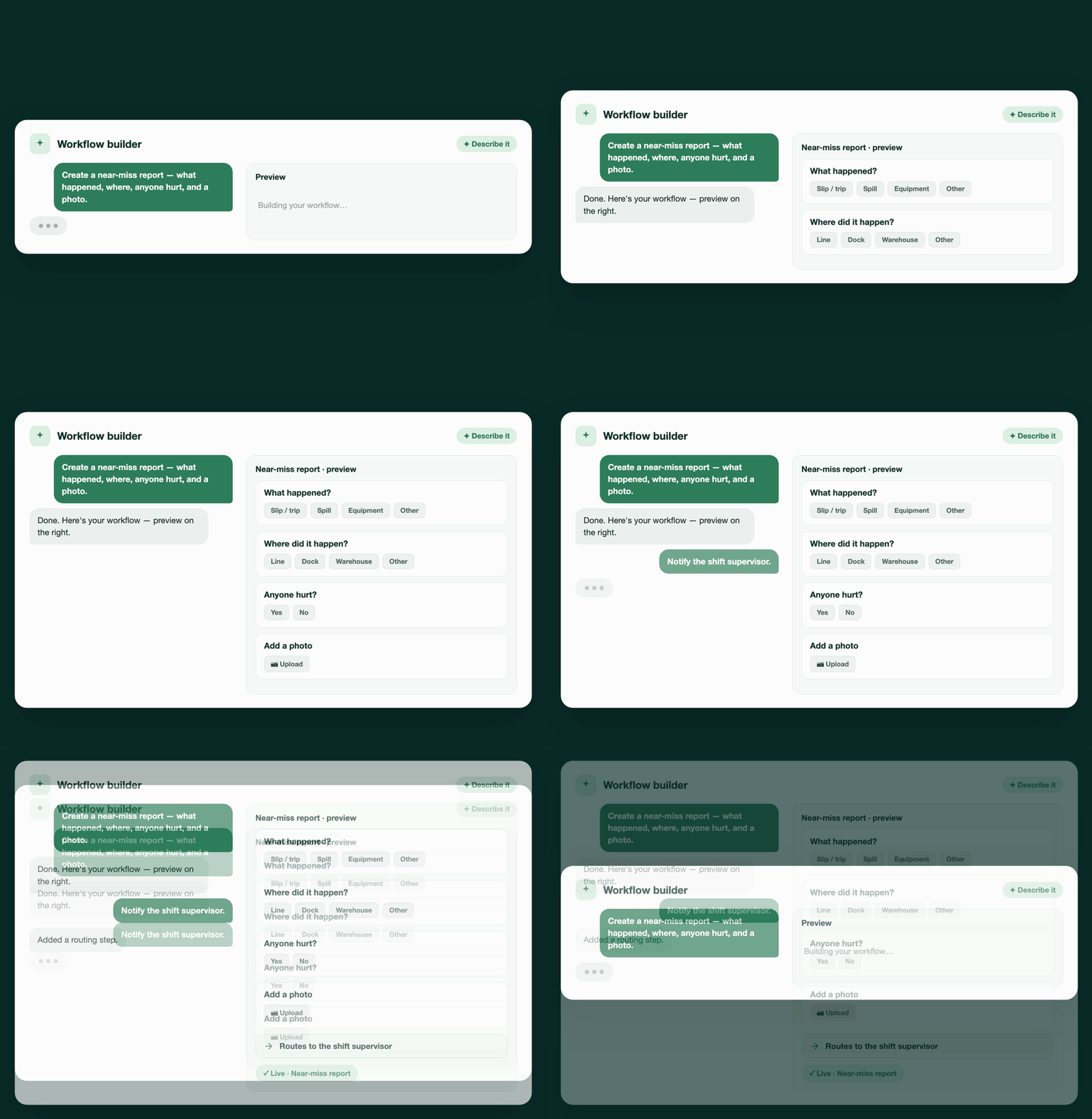
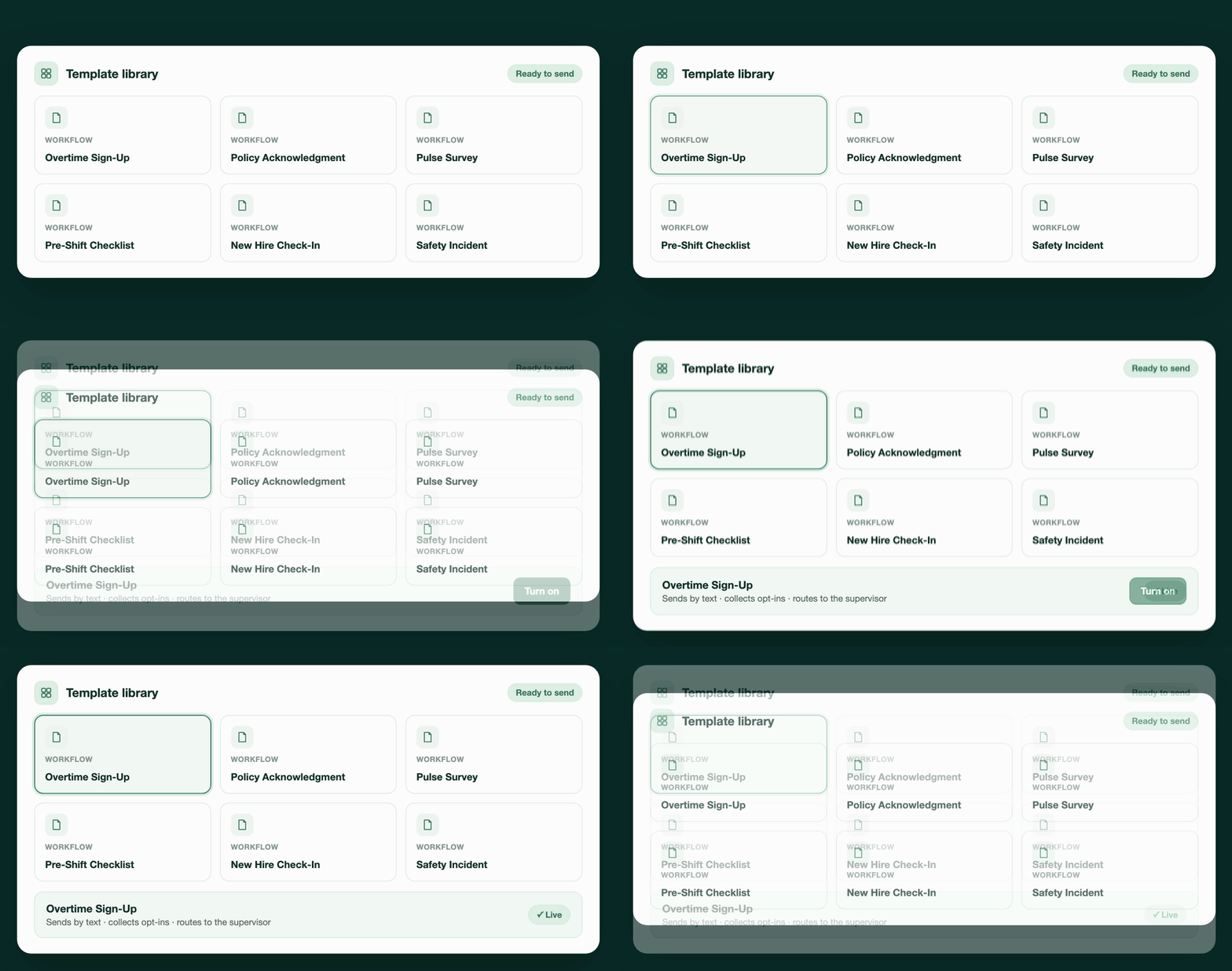
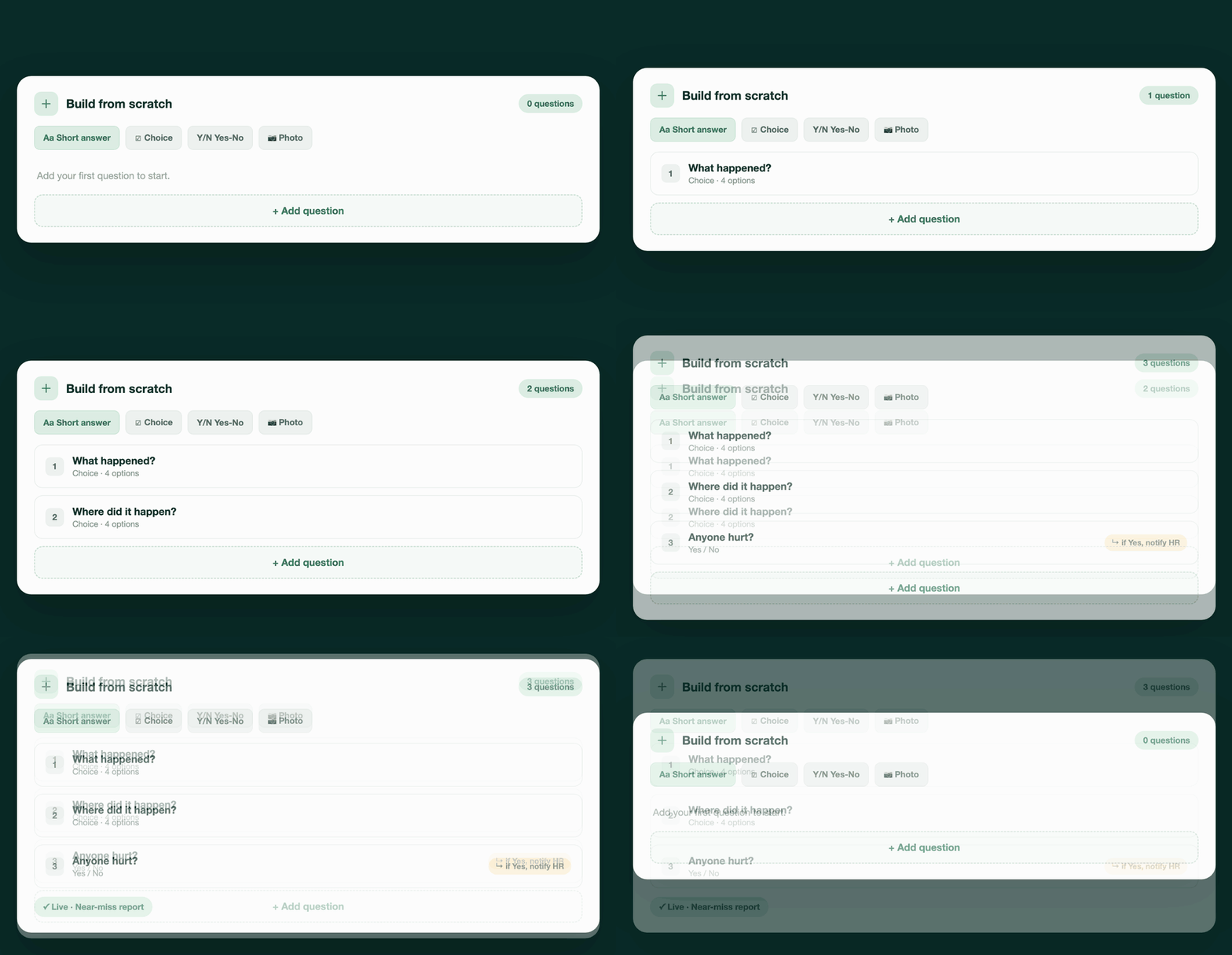
Mobile forms don't know your roster. A TeamSense workflow does.
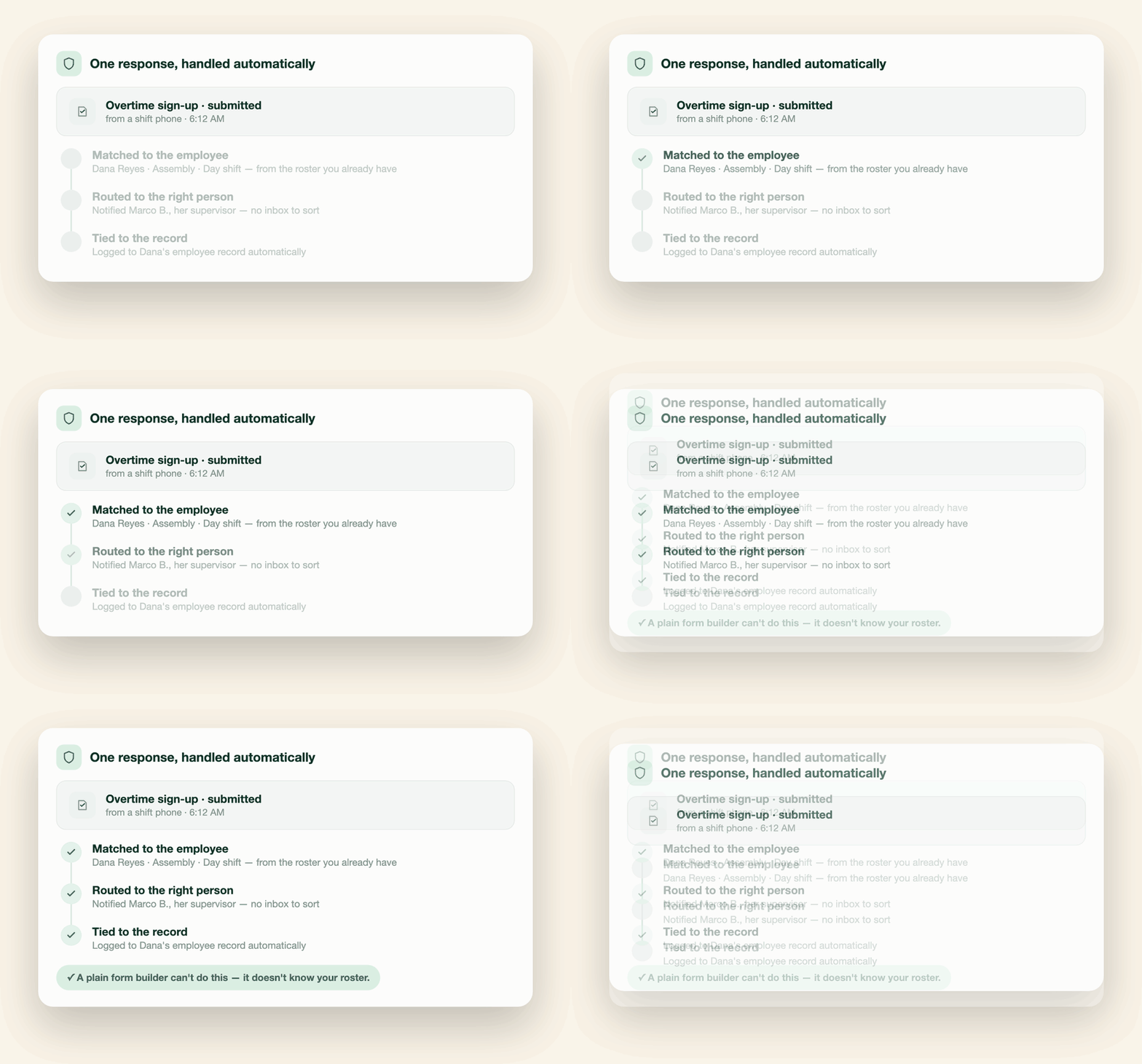
There are plenty of mobile form builders but none of them know who your supervisors are, who's on which shift, and who's out today – so every response still lands in an inbox for someone to sort.
Teamsense already has your roster, reporting lines, and your absence data. That’s what turns a form into a workflow: It knows who filled it out, notifies the right person, and ties the response to the employee record automatically without new integrations to set up.
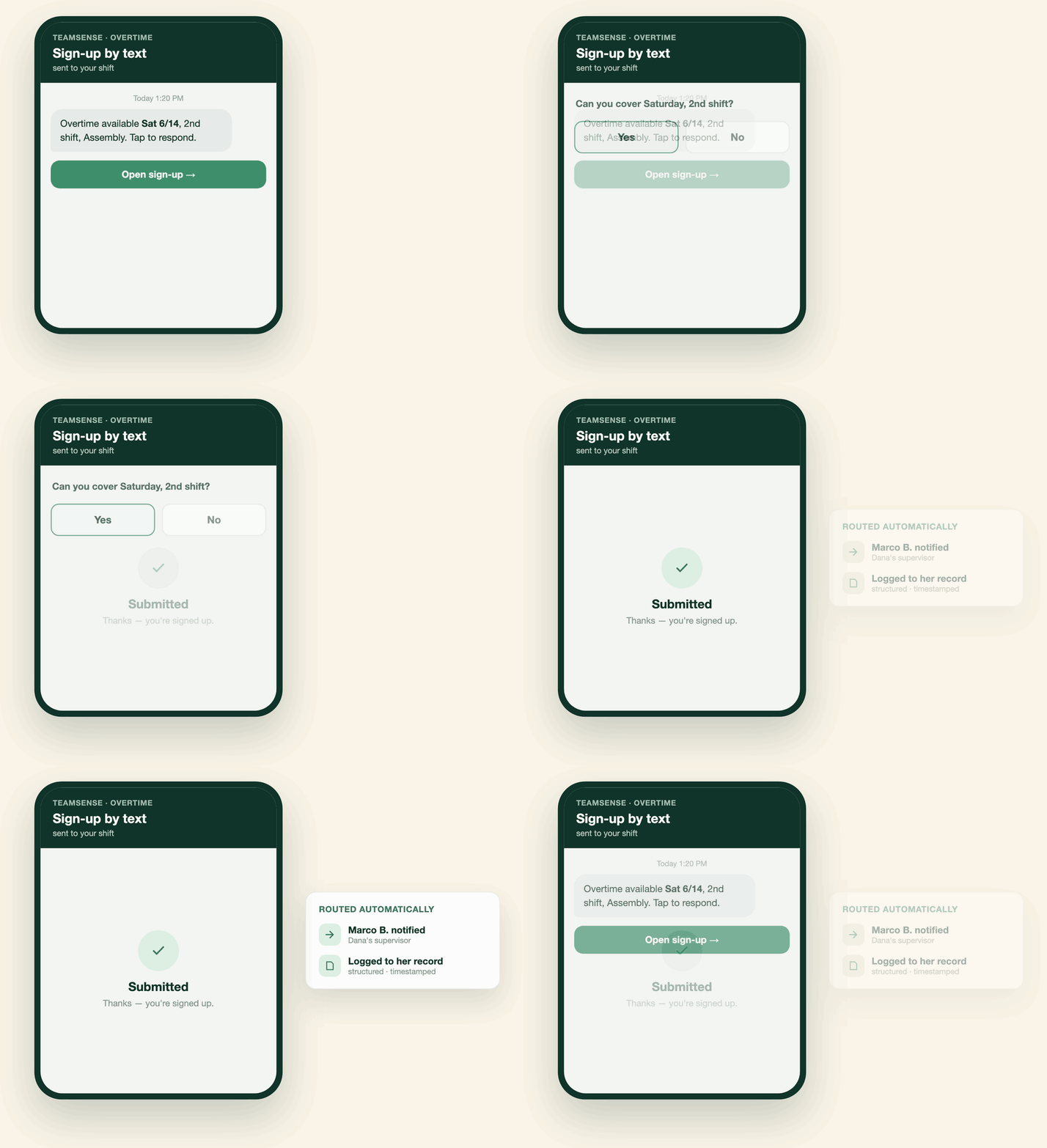
Send Workflows by text. They tap. It's already routed.
However you built it, it goes to the whole workforce, a specific group or individuals as a text. The same channel in the same language they're already communicating with you.
No app, no login, no paper. The response is recorded in TeamSense the moment they hit send: structured, timestamped, and attached to their employee record. Watch completion come in live and export the whole set when you need it. No chasing, no scanning, no re-keying.
A library built for the manufacturing and logistics floor.
Workflows comes with a library of ready-to-send templates for the processes every frontline operation already runs. Every one is a form on the employee's end and a workflow on yours. Use them as-is, modify them, or build your own from scratch.
Overtime Sign-Up
Offer the available hours and collect opt-ins Documented and timestamped so overtime distribution is fair and defensible.

Policy Acknowledgment
Send a policy, collect a confirmed acknowledgement from every employee, with automatic reminders and an auditable completion record.

Pulse Surveys
Quick, anonymous check-ins that reach the floor immediately instead of a paper form or a shared kiosk workers have to line up for.

Pre-Shift Equipment Checklist
A one-minute check on a phone at the top of the shift. More accessible and more useful than a binder.

New Hire Check-In
Structured check-ins through the first weeks on the job, so you catch the problems that turn into early turnover.

Kaizen Suggestion
Capture continuous-improvement ideas from the people closest to the work, and track participation as the KPI lean teams already report on.

Safety Incident / Near-Miss Report
A near-miss gets reported the moment it happens, not on the next safety meeting. A safety incident is texted by the employee, and whoever needs to see it gets notified right away.

And more
Planned Time Off Request, Anonymous Suggestion Box, Mark Yourself Safe, 5S Audit, Production / Output Log, and Downtime / Equipment Issue Log.

No more guessing who signed off.
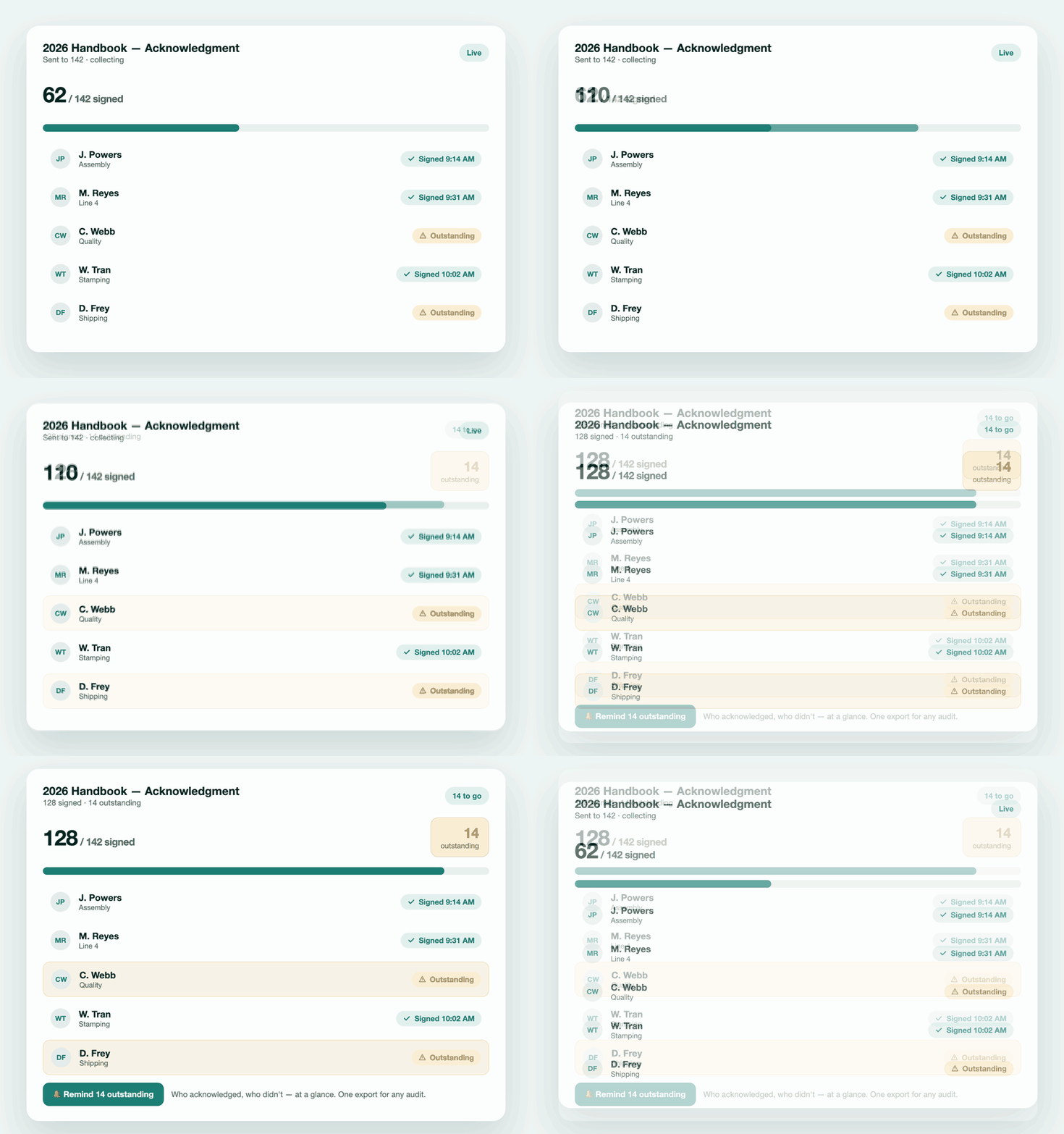
Text the policy, collect acknowledgements, and who's still outstanding without opening a spreadsheet. Each acknowledgement is logged, timestamped, and tied to the employee – proof of receipt, a record for any audit or a dispute. When a regulator asks, the answer is one export, not a week of panic and reconstruction.
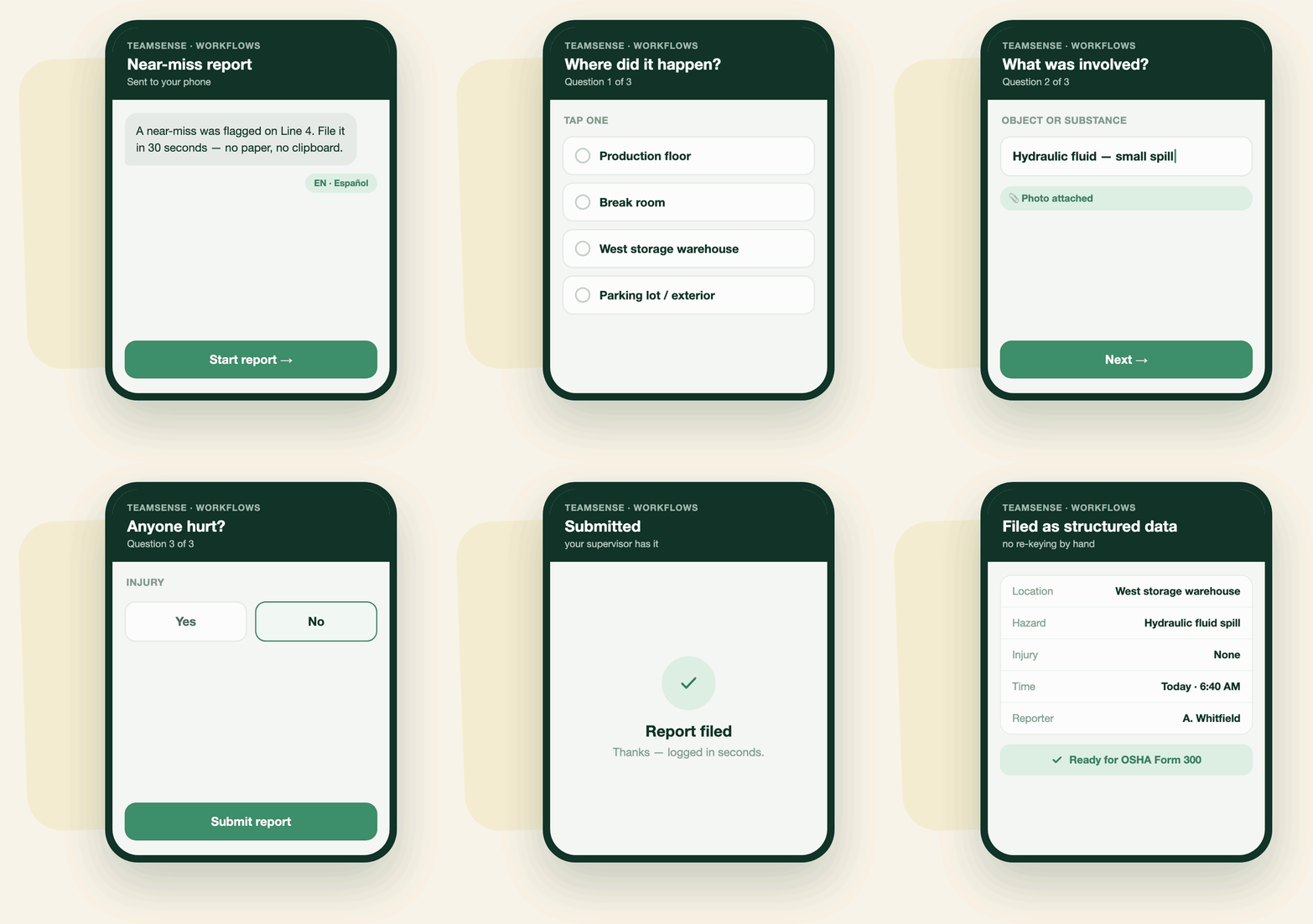
A text reaches the floor. Responses reach back to you.
A digital form on company email reaches the office. A survey to frontline teams usually means paper, or a single kiosk on the floor to line up for during their break. Text reaches everyone, in their language, at their convenience.
One customer ran a union-mandated shift-preference survey in a few hours – instead of the full week it used to take them with a clipboard. Same people; different channel, workflow, and outcome.
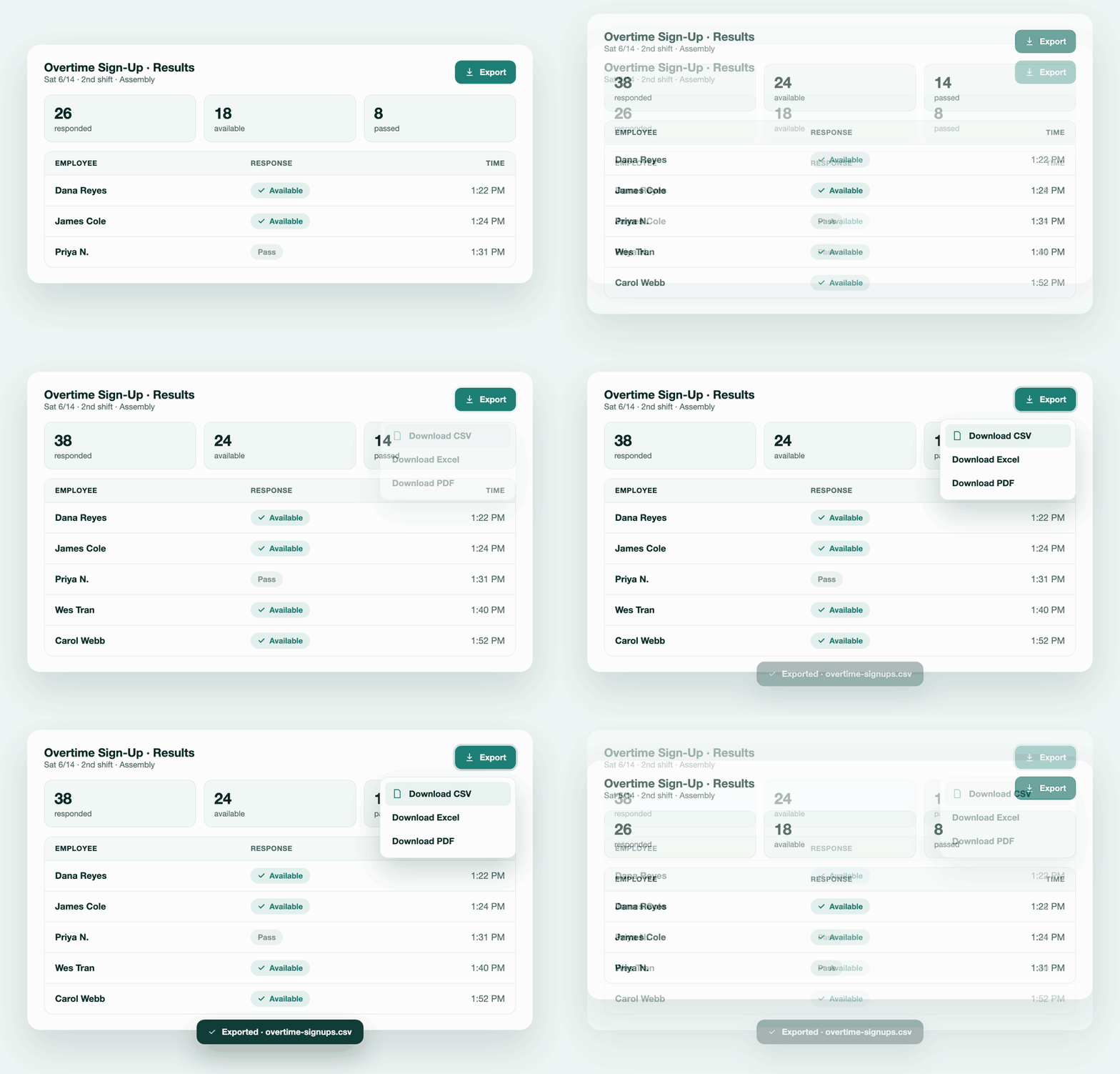
Structured, dated, exportable; not piled in a drawer.
Every response flows into TeamSense as structured data tied to the right employee, with a timestamp. No inbox to search, no spreadsheet to stitch together, no binder to dig through. Filter it, report on it, and export it whenever HR, operations, or an auditor needs it. The information you used to lose is now a record you can stand on.
After the hurricane, hundreds of answers in hours, not days.
When Hurricane Idalia made landfall, Carlisle Construction needed one answer fast: were their people safe?

A phone tree would have taken days. Instead they sent a workflow by text with a few questions: Are you safe? Do you have food and water? Did you lose any property? Hundreds of employees answered within hours. The responses came in structured, so the team could see at a glance who was accounted for and who needed help. When one employee reported they had lost their home, the company moved company resources to them right away.
After Idalia hit, within hours we knew our people were safe and we knew exactly who needed help. One of our team had lost their home, and we were able to get resources to them right away. By phone that would have taken days we didn't have.
 Elsie Baez
Carlisle Construction
Elsie Baez
Carlisle Construction
Get your processes off paper and on the record.
See what paperless forms look like when they finish the job. We'll show you a process going out by text and the responses landing in TeamSense. Structured, routed, and attached to every employee.